

Hype5 TheaterThe theatre plugin for WordPress.
A production should not have to be rebuilt as separate pages for the programme, cast, schedule and archive. Hype5 Theater manages these as connected WordPress records, with your team in control of what is published. Use a compatible theme you already have, or Hype5 Stage, included.
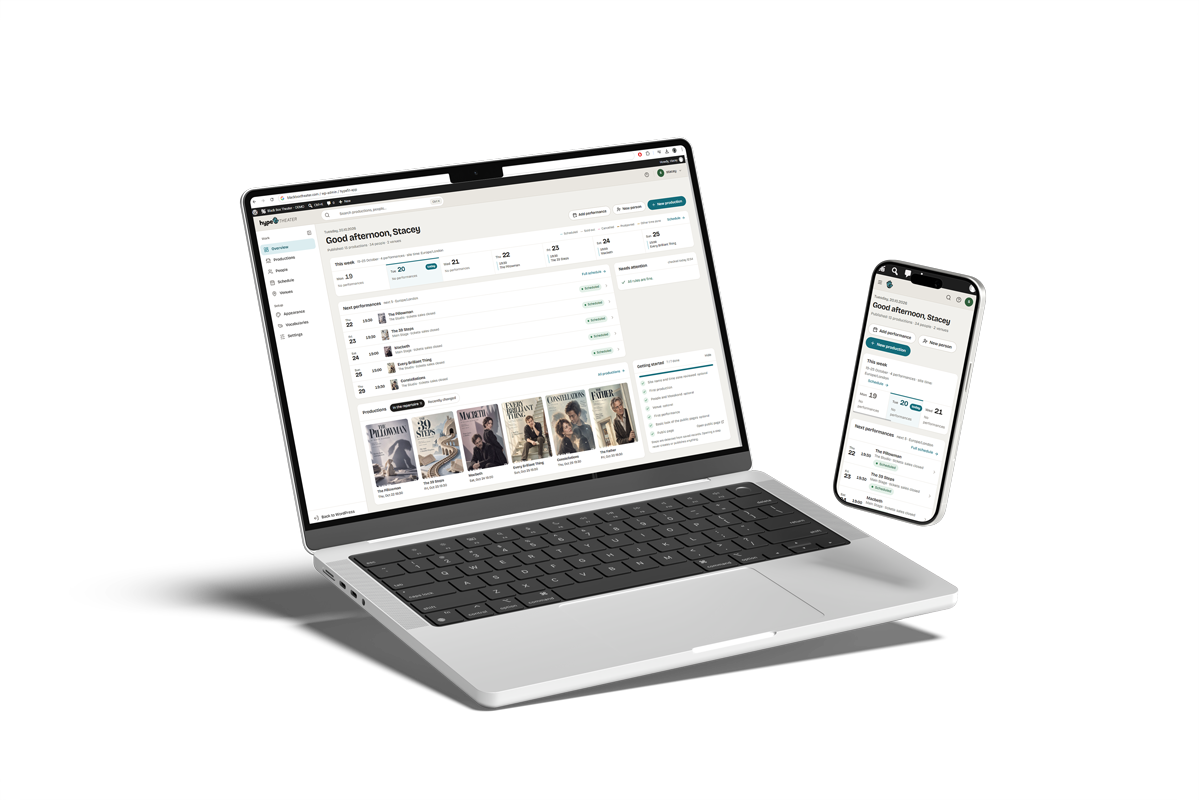
The screens behind the demo.
The Black Box Theater demo shows the public website; this is where its team works. Screenshots from the Hype5 app with the demo’s data — select one to see it full size.
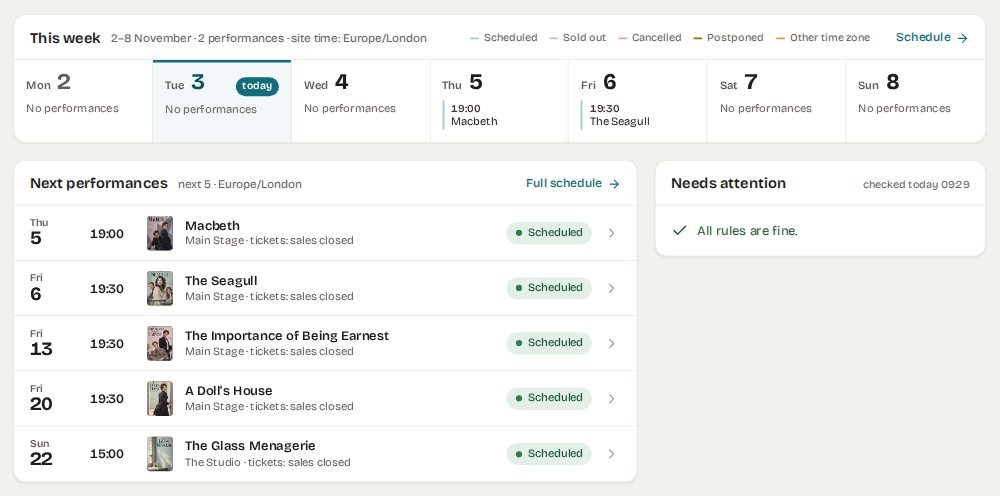 (full size)
Overview — the week, what is next, what needs attention 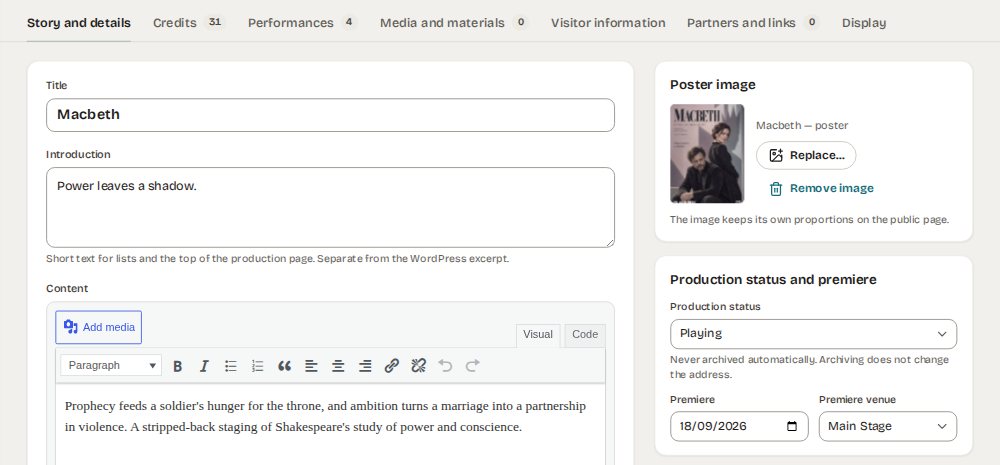 (full size)
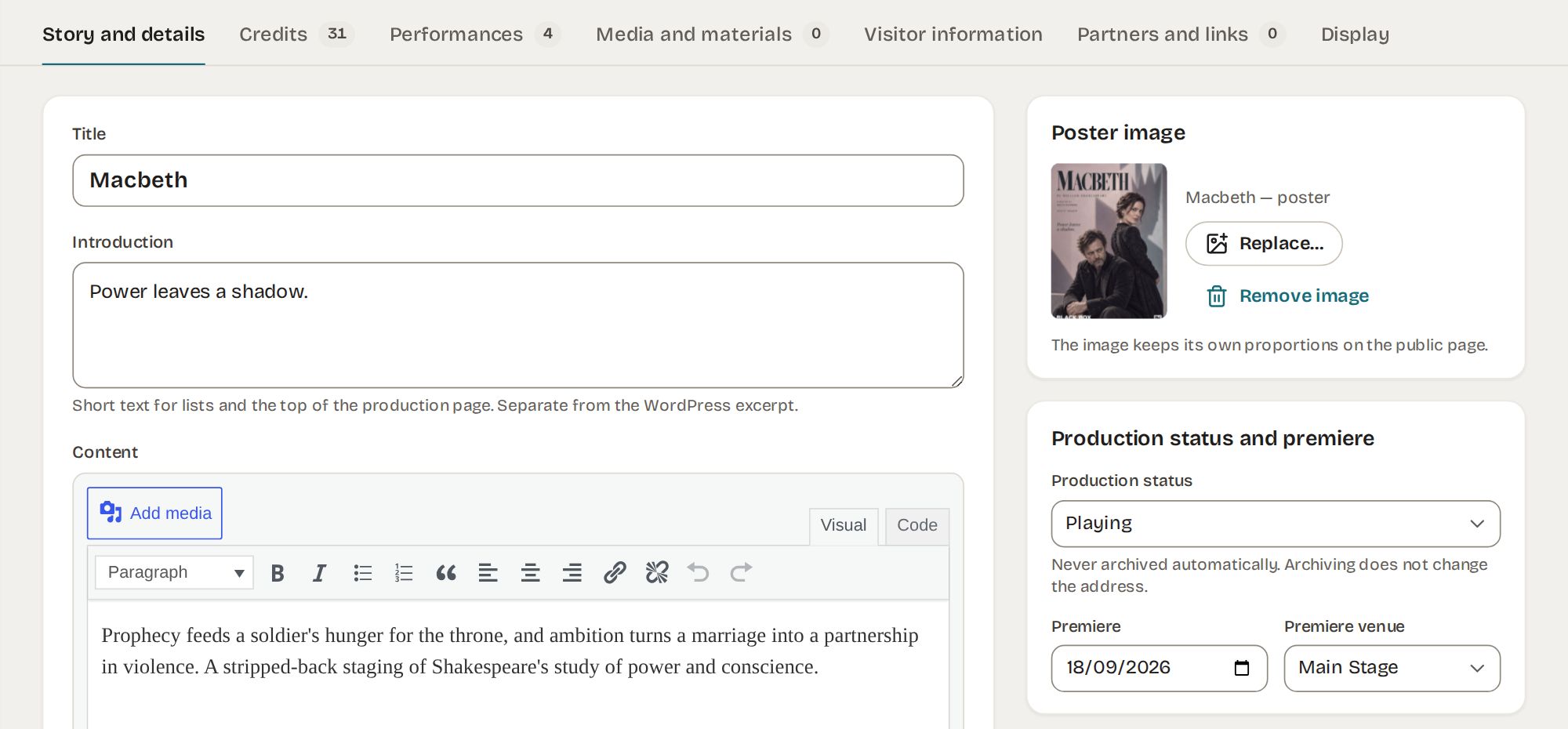
Production editor — story and details 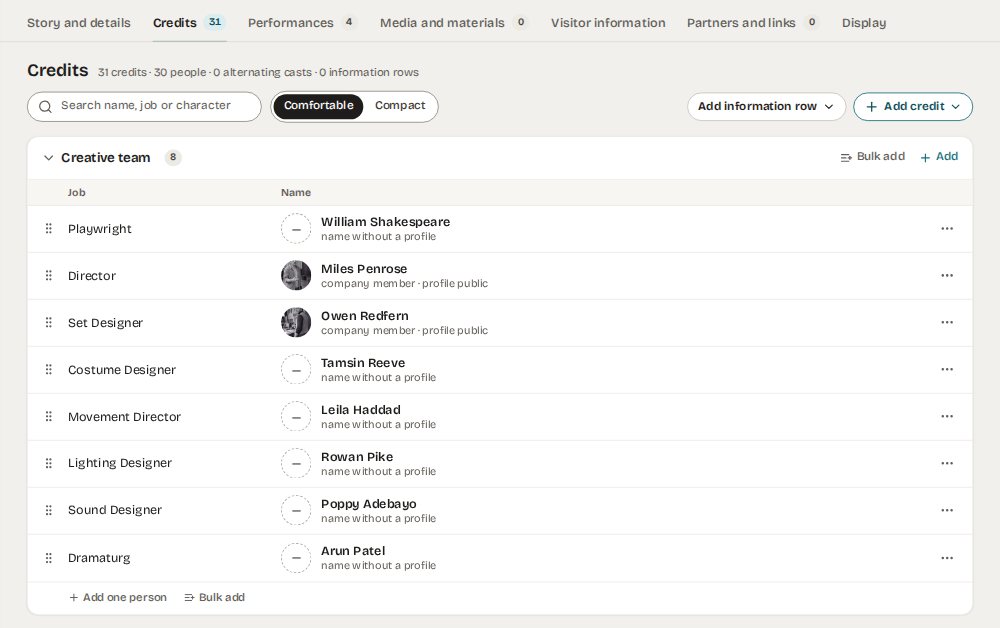 (full size)
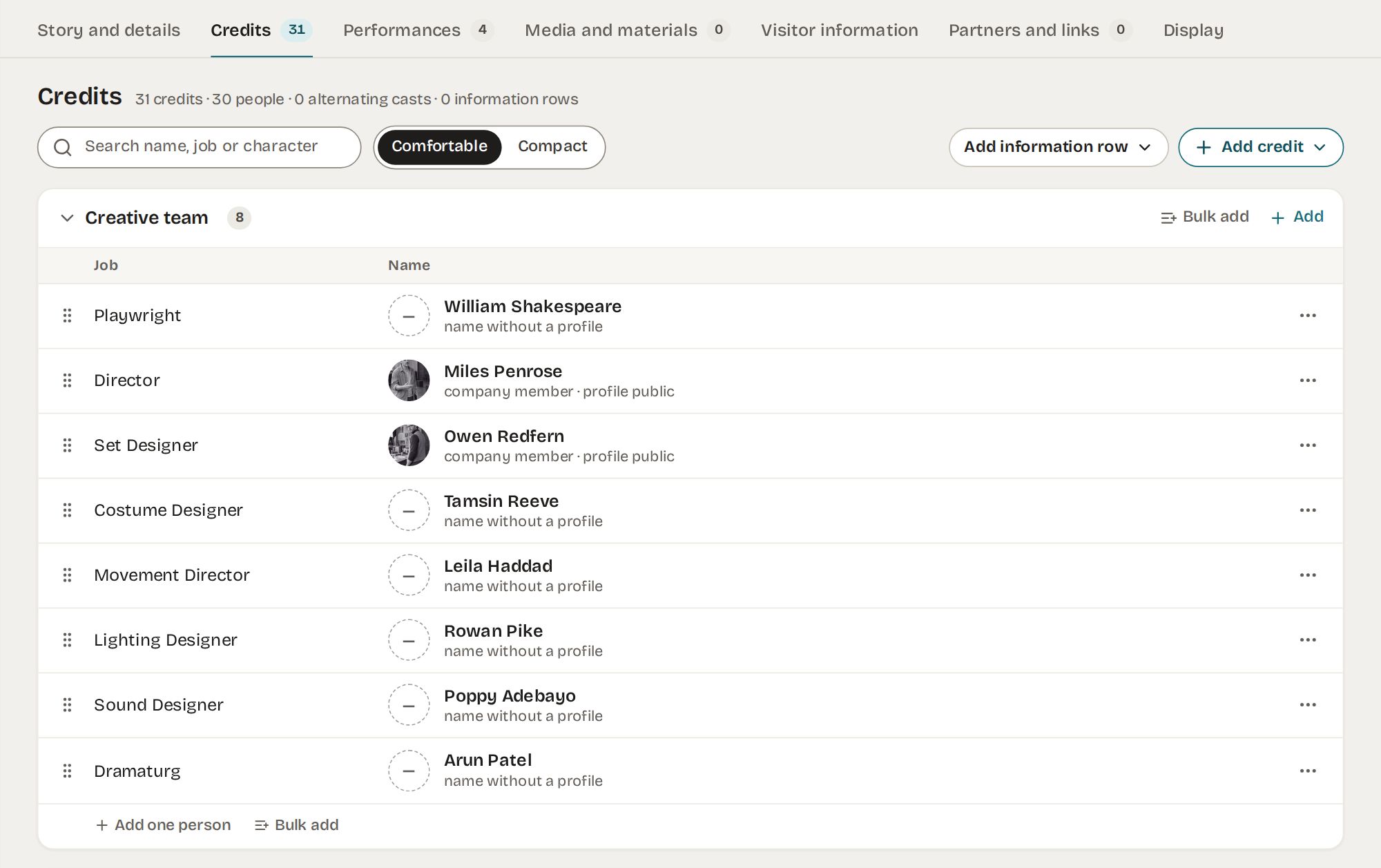
Credits — one row per relationship 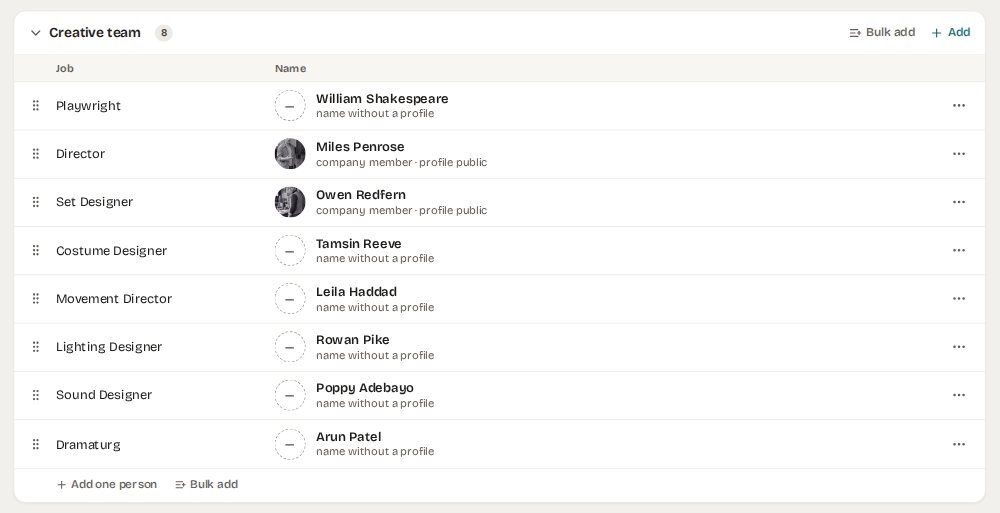 (full size)
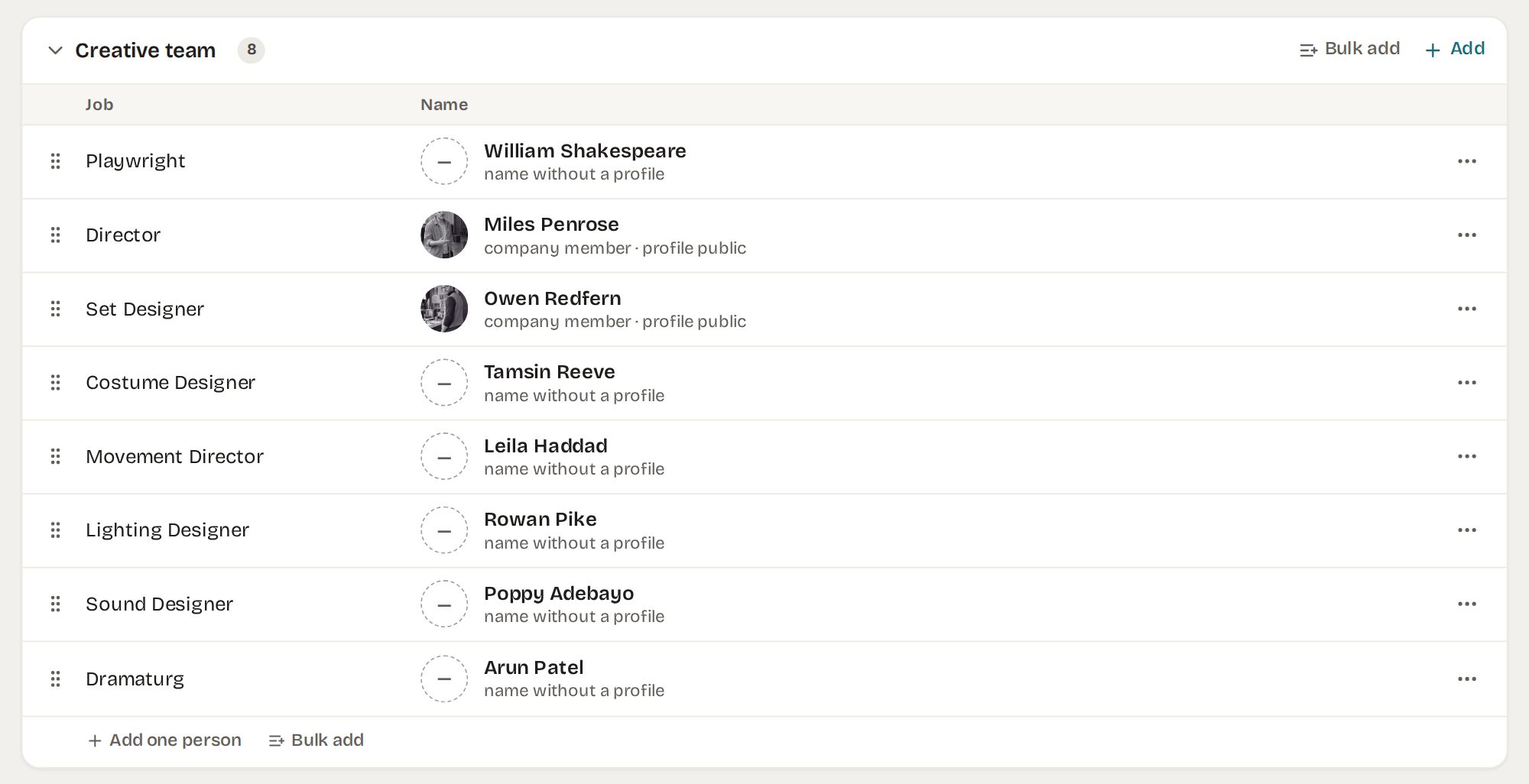
Creative team — profiles or names only 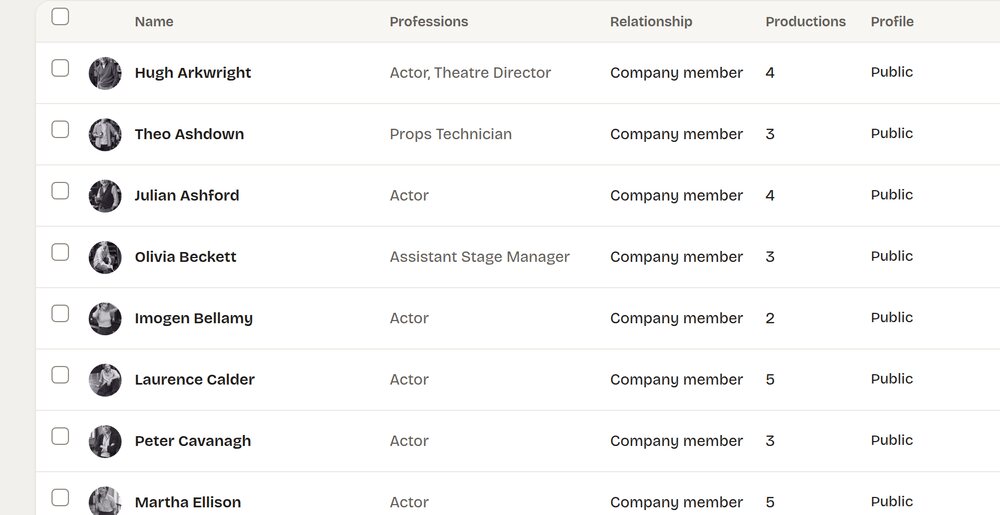 (full size)
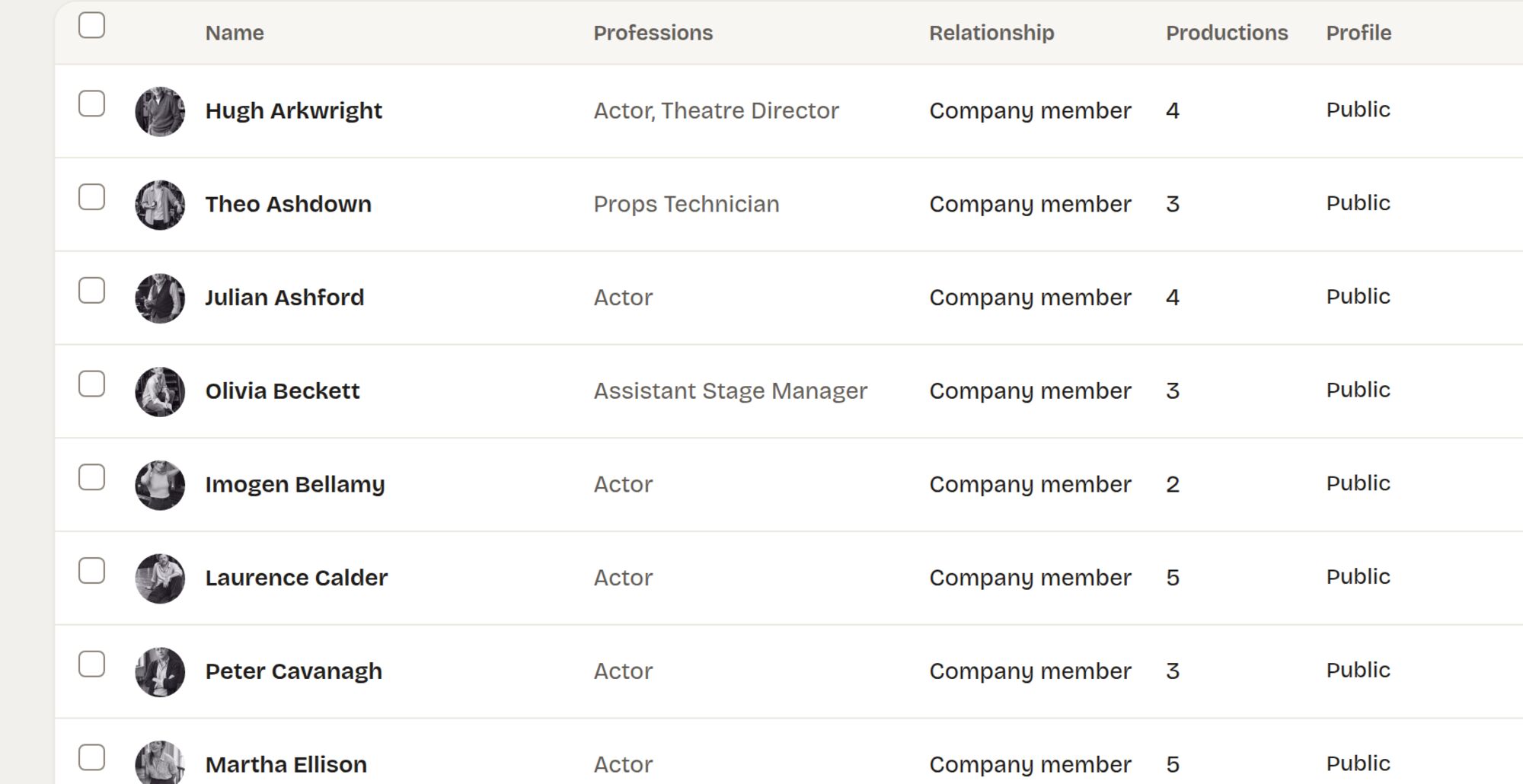
People — the company and guests 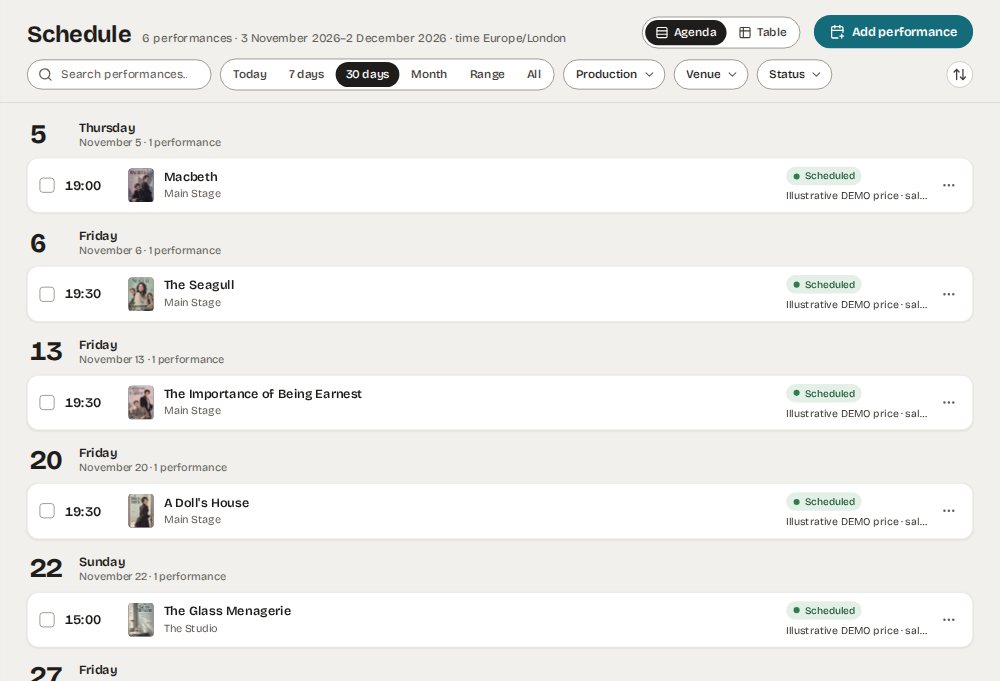 (full size)
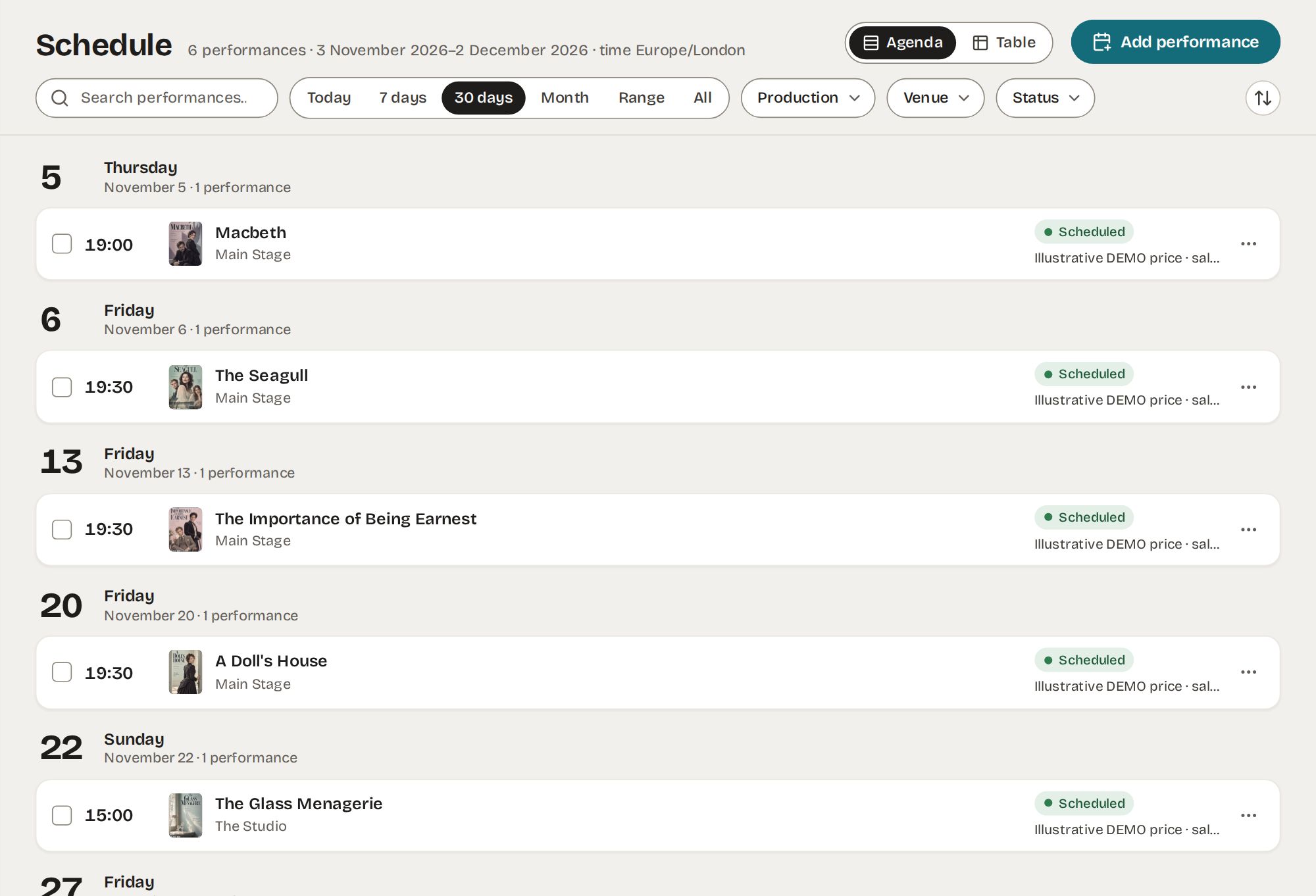
Schedule — the next 30 days 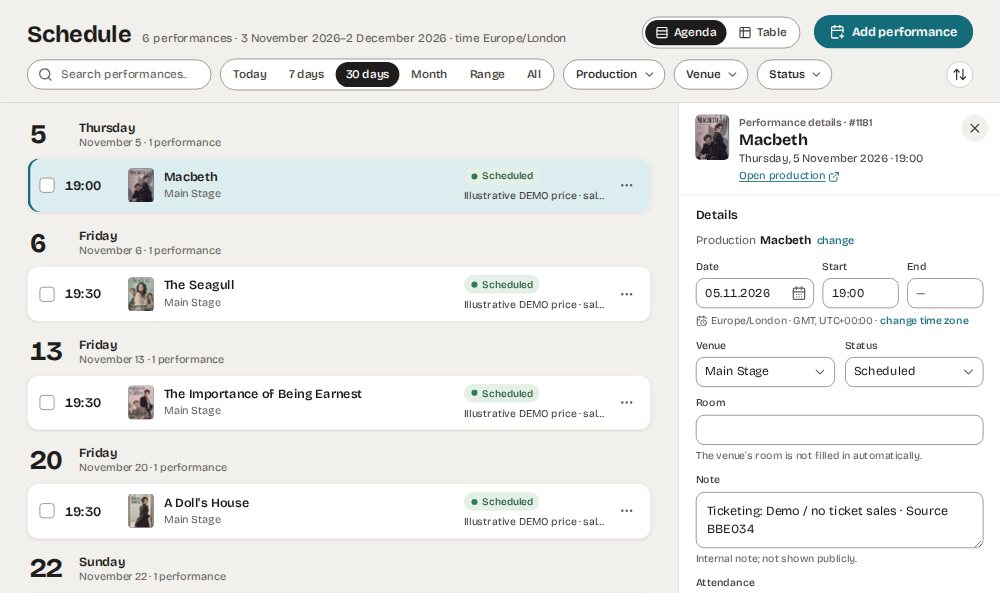 (full size)
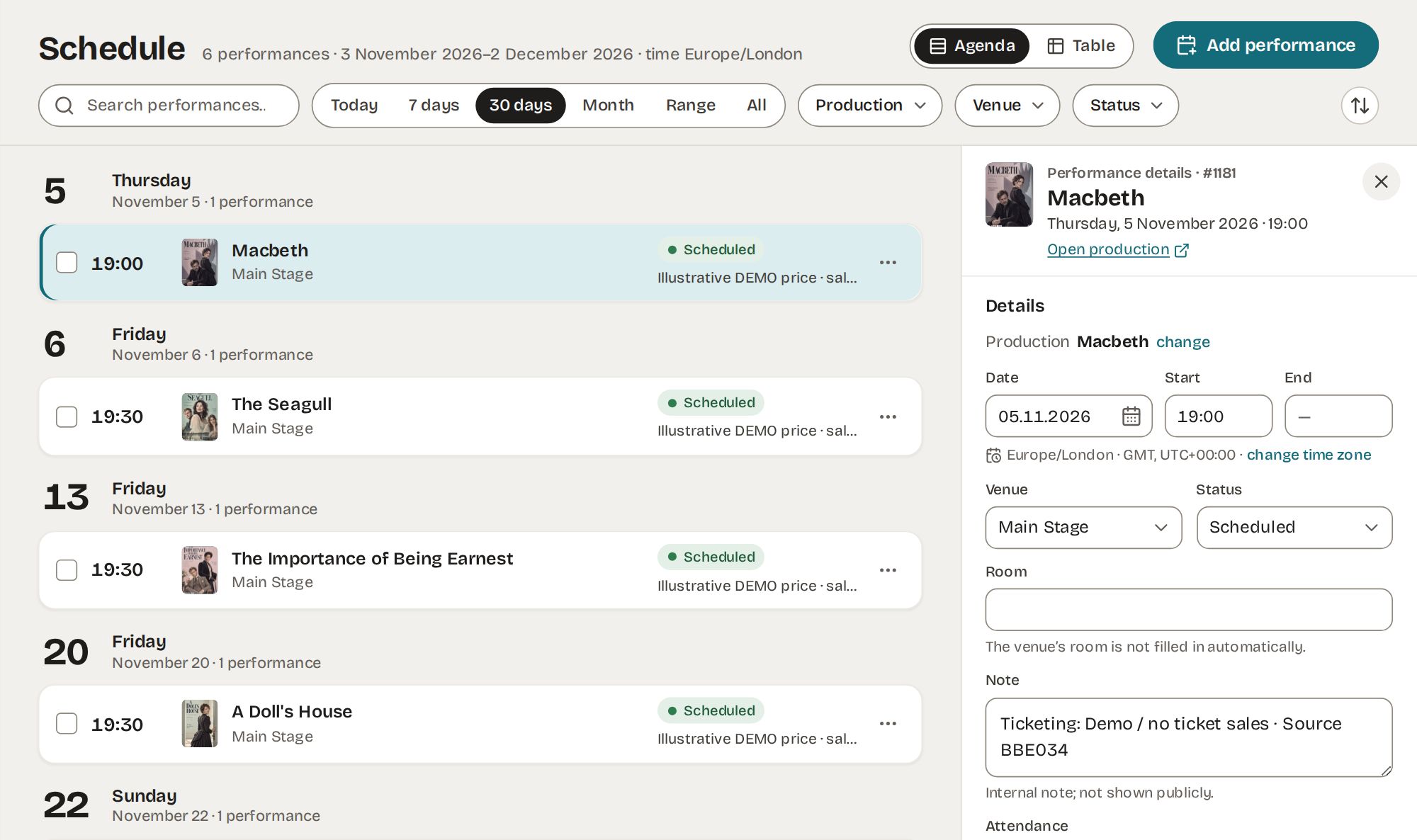
Performance panel — date, venue, status 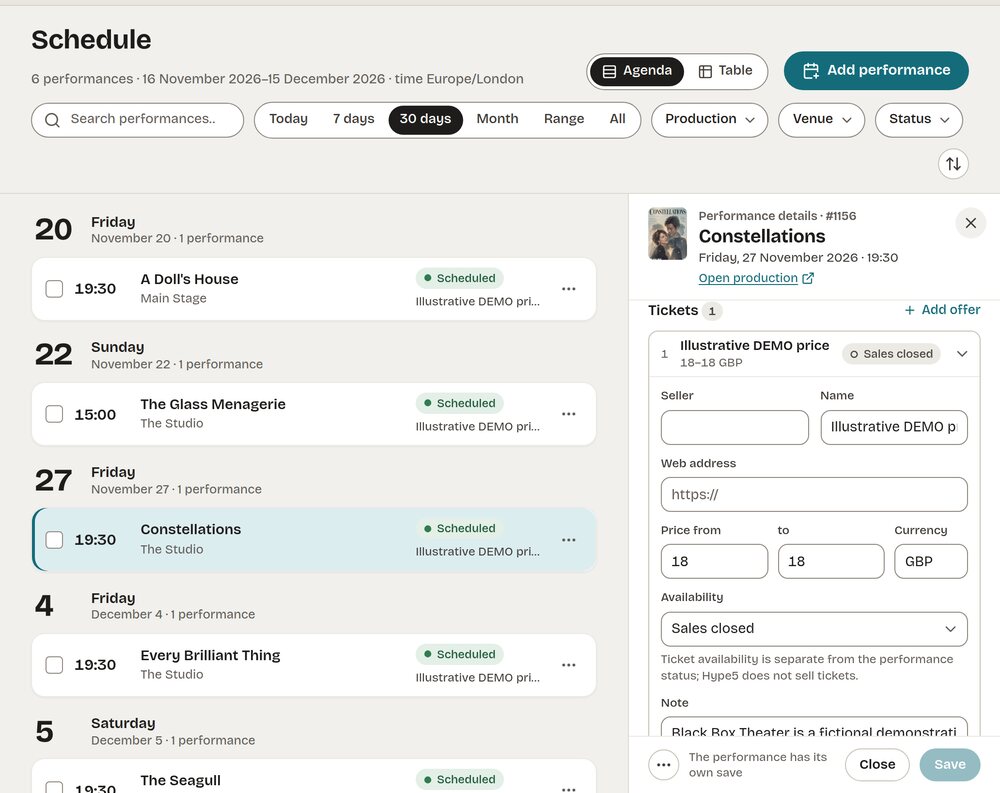 (full size)
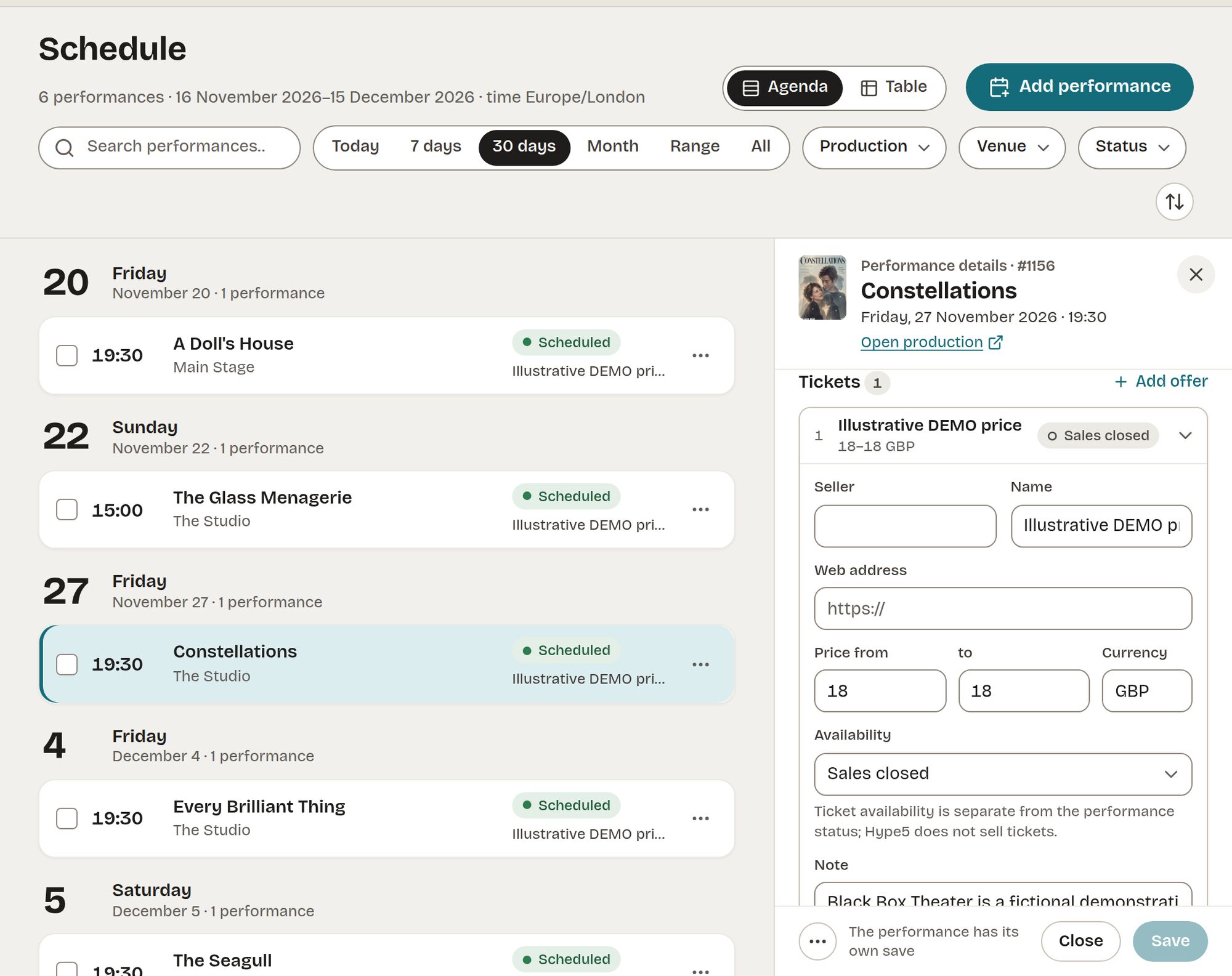
Ticket offer — a link and prices, no checkout 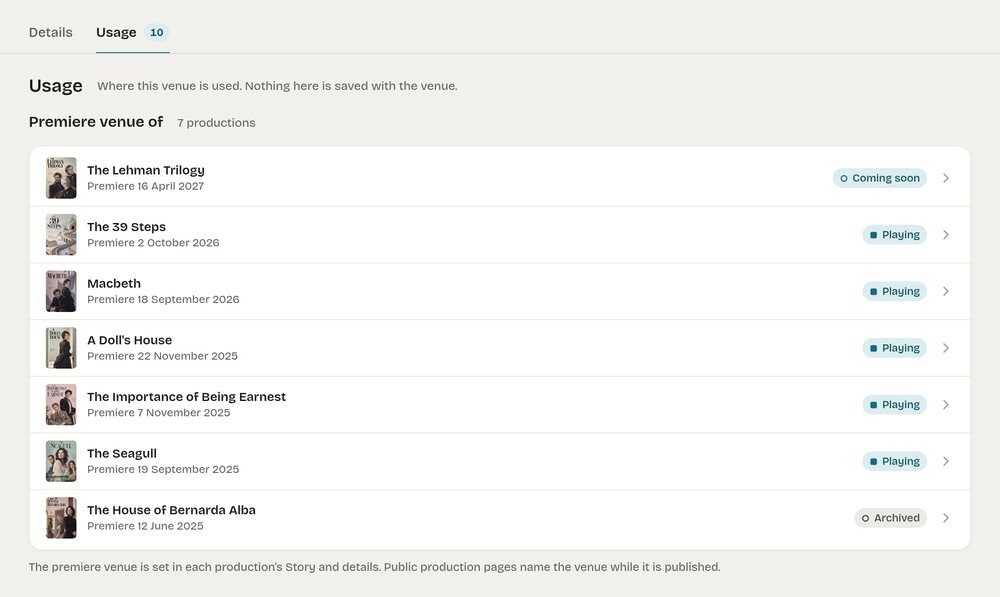 (full size)
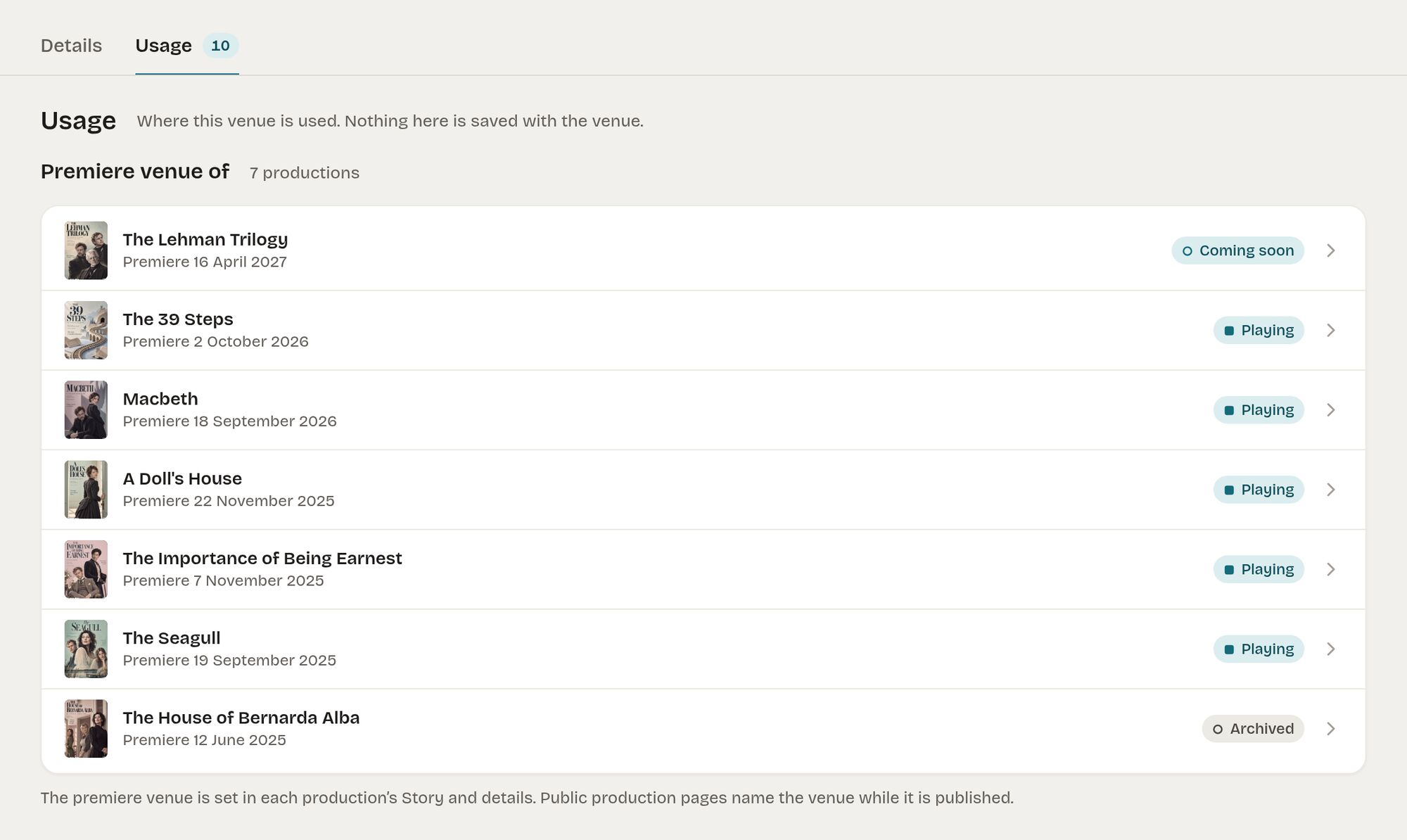
Venue — where it is used 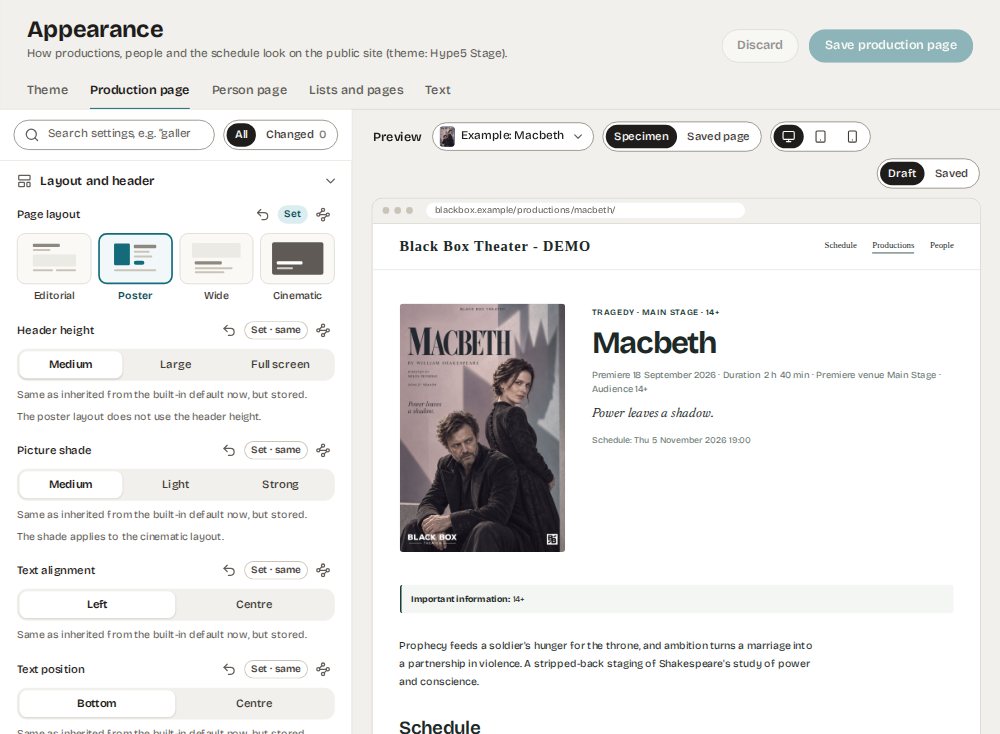 (full size)
Appearance studio — settings with a preview
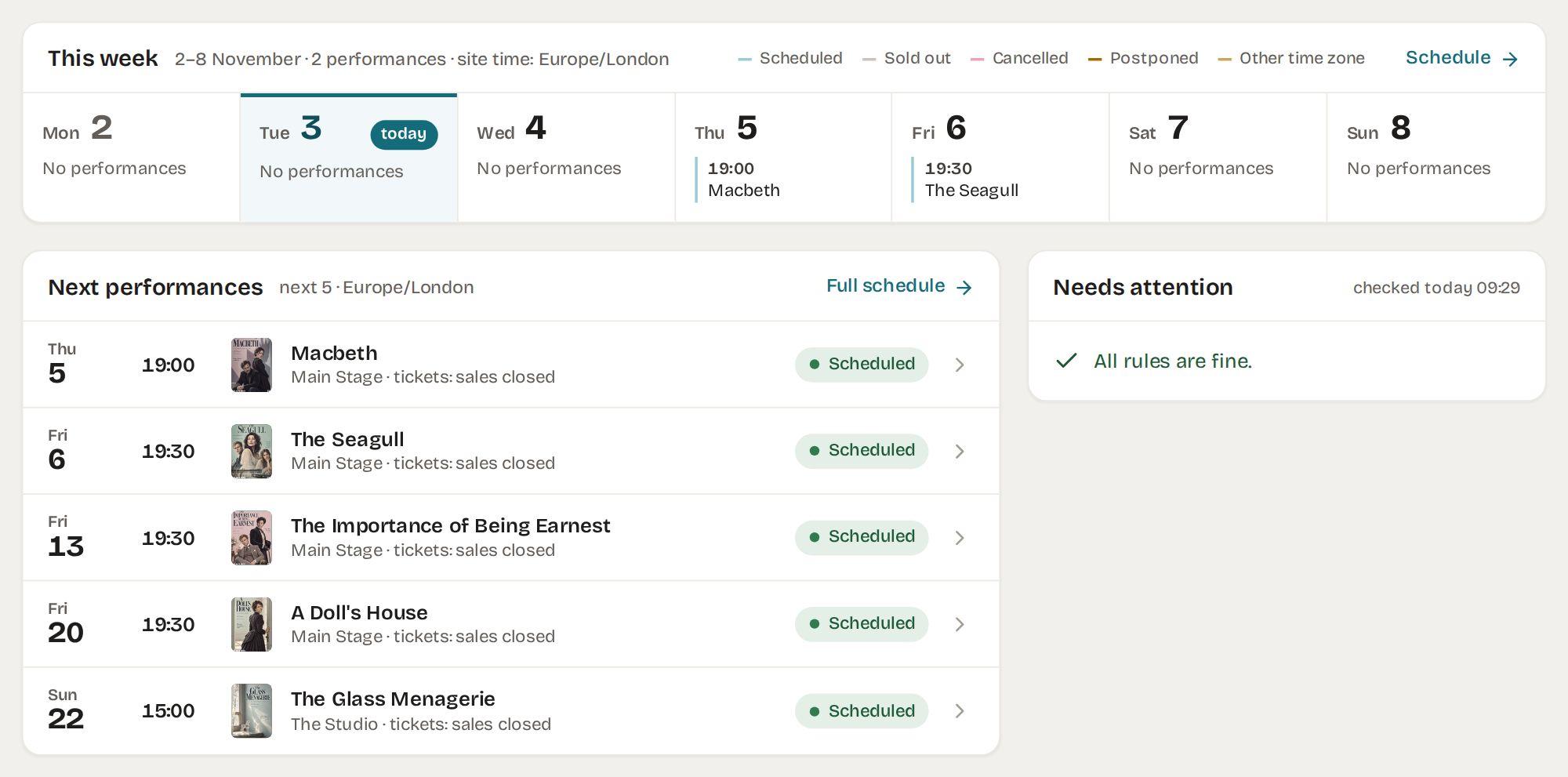
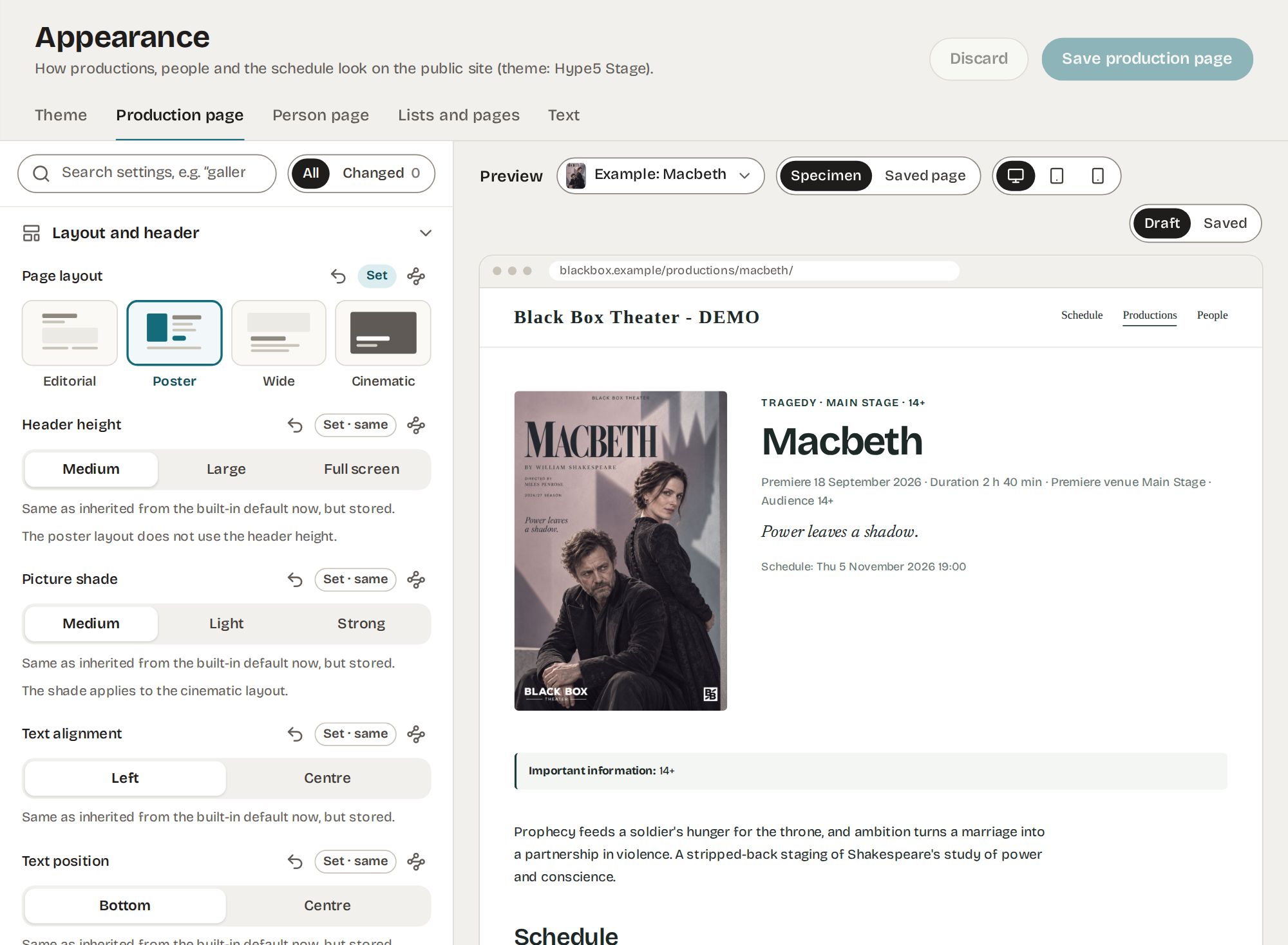
Three questions, one screen: what is on, what is next, what needs attention.
The Hype5 app opens on the week. Three checks look at your saved data — a playing production with no future performances, a published production without a poster image, a performance in the next 30 days without a ticket offer — and list what they find, or say that everything is fine.

A day strip with one colour per status — scheduled, sold out, cancelled, postponed, other time zone.
The site time zone is shown wherever times appear; a performance can carry a different zone.
The next five with venue and ticket state, each opening the performance record.
Rule checks over your data. When nothing is wrong, it says so.
A production page that reads like a programme.
Title, introduction, content, poster, repertory status and premiere are edited on one screen, with tabs for credits, performances, media and materials, visitor information, partners and display.
- Introduction kept separate from the WordPress excerpt
- Repertory status — playing, upcoming, archived — is never changed automatically
- Archived productions keep their address
- Password-protected productions stay out of public lists

One row per relationship.
Every credit links a production, a person or name, and a creative role. Reuse an artist’s record across productions without repeating their details, or keep a credit as a name only when a public profile is not appropriate. Alternating casts remain available where needed.
- Optional public profiles; a people directory with its own address
- Professions, genres, warnings and audience recommendations as vocabularies you control
- Comfortable and compact views; search by name, job or character
Performances are their own records.
Manage individual performances, series and tours with their own venues, time zones and statuses. The schedule on your website reads these records, while booking remains with your existing ticket seller. Performance dates are not automatically imported from that system at present.
- Status per performance: scheduled, sold out, cancelled, postponed
- Venue and room; accessibility defaults inherited from the venue
- A replacement performance links back to the one it replaces

Places with defaults. Tickets as links, with rules.
Venues carry accessibility defaults that performances inherit. Ticket offers link to the sellers you already use — with prices and rules for when a ticket button appears. Hype5 Theater never processes a payment.
- Venue coordinates are stored, but no map view is included
- An offer is purchasable only when its rules say so; the public button follows
- Prices shown as entered — no fees, no checkout
Decide how it looks without a developer.
Layouts, sections, colours, public texts and custom CSS, with a live preview of a production, person or list page at three widths. Or hand the presentation entirely to your theme’s templates, or to Hype5 Stage.
- Editorial, poster, wide and cinematic production layouts
- Settings per page type, with “set the same” across pages
- Draft and saved states; specimen or saved-page preview

Four statuses that never change each other.
This is the rule that keeps a theatre’s website truthful in a busy season. Changing one status never changes another, and nothing is archived automatically.
Publication
Draft, published, private, password — WordPress visibility.
Repertory
Playing, upcoming, archived — set by you, never automatically.
Occurrence
Per performance: scheduled, sold out, cancelled, postponed.
Ticket availability
Per offer: whether a button appears and where it links.
What you need, and what fits.
See the current changelog and requirements for the supported version range.
mbstring functions (used by the Hype5 app)GET_LOCK)Public contracts. Templates receive prepared data and never query the database.
Everything below is documented in the developer reference, with stability marked per surface. Presentation services are stable; app routes are internal.
- Blocks —
hype5-theater/productions,hype5-theater/schedule - Shortcodes — collections, production parts, person parts
- REST — read-only routes under
hype5-theater/v1;/app/*routes are internal - Templates — resolved child theme → parent theme → plugin
- Hooks —
hype5/theater/ready,hype5/theater/view/{type},hype5/theater/render/before|after,section/before|after;hype5_addons - Services — ProductionQuery, PersonQuery, ScheduleQuery; ProductionView, ProductionCard, ProductionSchedule; Visibility (stable)
- Add-ons — manifest, layouts, sections, option lists, labels, templates
// Add your own field to the production hero
add_filter( 'hype5/theater/view/production', function ( $view ) {
    if ( ( $view['component'] ?? '' ) === 'production.hero' ) {
        $view['subtitle'] = get_post_meta( (int) $view['id'], 'my_subtitle', true );
    }
    return $view; // templates receive prepared data only
} );

// After add-on discovery
add_action( 'hype5/theater/ready', function () {
    // register layouts, sections, option lists…
} );

// Public, read-only
GET /wp-json/hype5-theater/v1/…
What Hype5 Theater is not.
Clear limits are part of being dependable.
It does not sell tickets.
No payments, checkout or ticket-customer accounts. Hype5 links to the ticket seller you already use. At present, dates entered in that seller do not automatically appear in Hype5.
It is not a hosted service.
A plugin on your own WordPress site. Your data stays in your database and is exportable through WordPress.
No seating plans or maps.
Venue coordinates are stored, but this product does not display maps or offer seat selection.
Explore the software. Find out how it fits your site.
The plugin licence and any implementation work are separate decisions. Tell us about your existing WordPress site or ask about a new one; we can begin with a free suitability assessment and explain what would be involved.
Hype5 Theater
Hype5 Theater, with the Hype5 Stage theme included. The annual site licence is £199 for one production website, with 12 months of updates and email support, ordered by written offer and invoice. Contact us about the licence, a product demonstration or your theatre’s website.
- Theater plugin + Stage theme (Stage is not sold separately)
- Works with other compatible themes if you keep yours
- Getting-started and first-steps guides
Assisted website migration
An existing site does not necessarily need replacing. We first assess compatibility and the content to be transferred; implementation, migration, redirects and testing are scoped separately where required.
- Free assessment first; scope, timeline and price after it
- Separate from the software licence; a custom full-service project may include it in the agreed price
- With you, or with your developer or agency
Plain answers.
More questions — about buying, support, updates and migration — are answered in Help: all questions.
No. Theater works with other compatible themes. Stage is included with Theater, so you can switch to it whenever you like.
No. Theater is a plugin you install on your own WordPress site. Your data stays in your database.
Not with Theater itself. Ticket offers link to the sellers you already use, with prices and display rules.
Yes. Templates can be overridden in a child theme, lists placed with blocks or shortcodes, and data read over REST. Hooks are documented with their stability.
That is what assisted migration is for: content mapping and URL continuity so old addresses lead to the new pages. You can also do it yourself with WordPress tools.
The interface is British English with an Estonian translation included; it is translation-ready for others.