

Your entire season.
On your own website.
A theatre website should make your next production easier to publish, not create another round of repeated updates. Hype5 Theater connects productions, artists, credits, venues and performances inside WordPress, so you can present your season and keep a record of the people behind it. Use a compatible existing theme, or Hype5 Stage, included with the plugin.
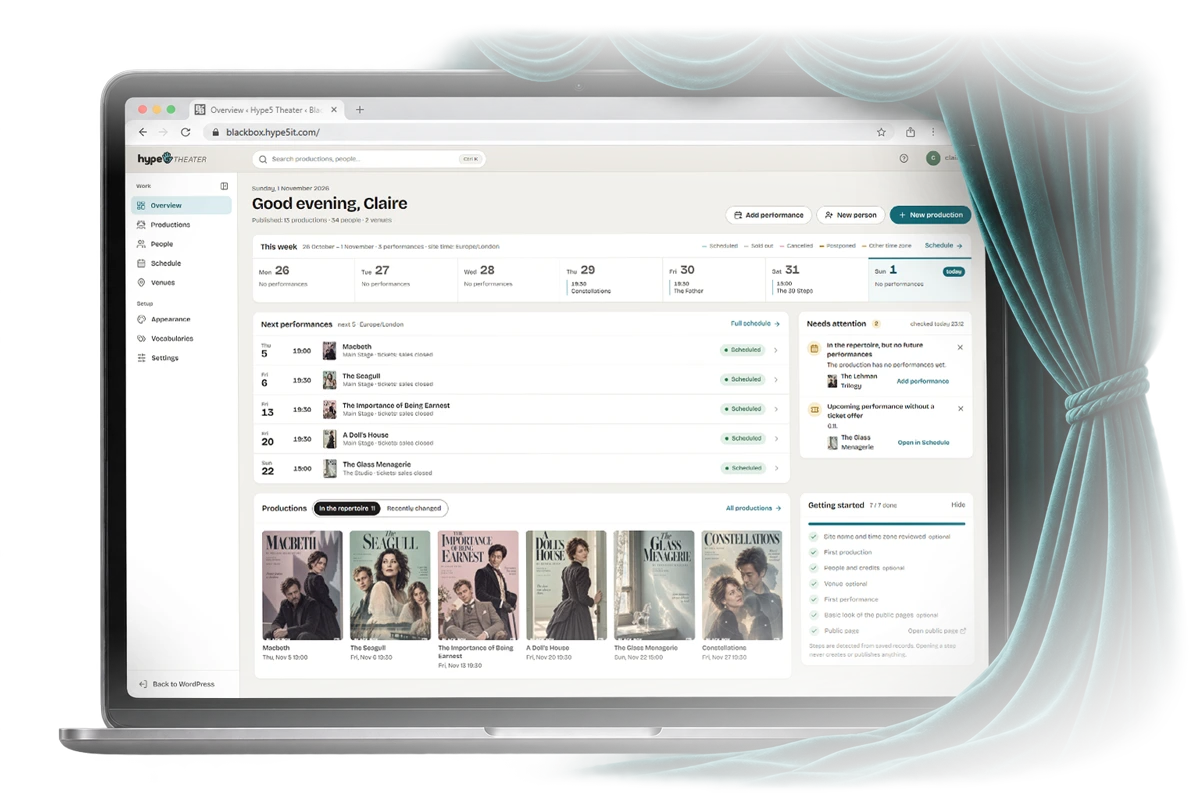
Manage it in Hype5 Theater. Publish it on your own website.
The same data, in both places. Real screens from the Hype5 app and from Black Box Theater (a fictional demo company) in Hype5 Stage — cropped, not edited.
In the Hype5 app · production editor

What you enter: title, strapline, synopsis, poster, repertory status, premiere and venue.
On the website · Hype5 Stage

What visitors see: the production page, with facts laid out and the ticket button only when an offer is purchasable.
In the Hype5 app · credits

One row per relationship: a person with a profile, or just a name; a job; alternating casts if you need them.
On the website · creative team

Grouped by team, in the order you set; people with public profiles are linked.
In the Hype5 app · schedule

Performances are records: each with its own time, venue, status and ticket offer.
On the website · marquee

The marquee updates itself from the schedule — next on stage, then the rest of the week.
Everything a season needs, in the order a theatre thinks about it.
Enter a production with its people and credits in one place, then reuse those connections across production and person pages, the schedule and the archive. Ticket sales stay with the service your theatre already uses.
A plugin that fits your theme. A theme that comes with it.
Keep the theme your theatre already has if the compatibility check confirms it will work, or choose Hype5 Stage, included with Theater. Either way, your production data stays in the WordPress plugin, not in the theme.
Hype5 Theater
The plugin. Managed in the Hype5 app, shown on your public pages through built-in addresses, shortcodes and blocks.
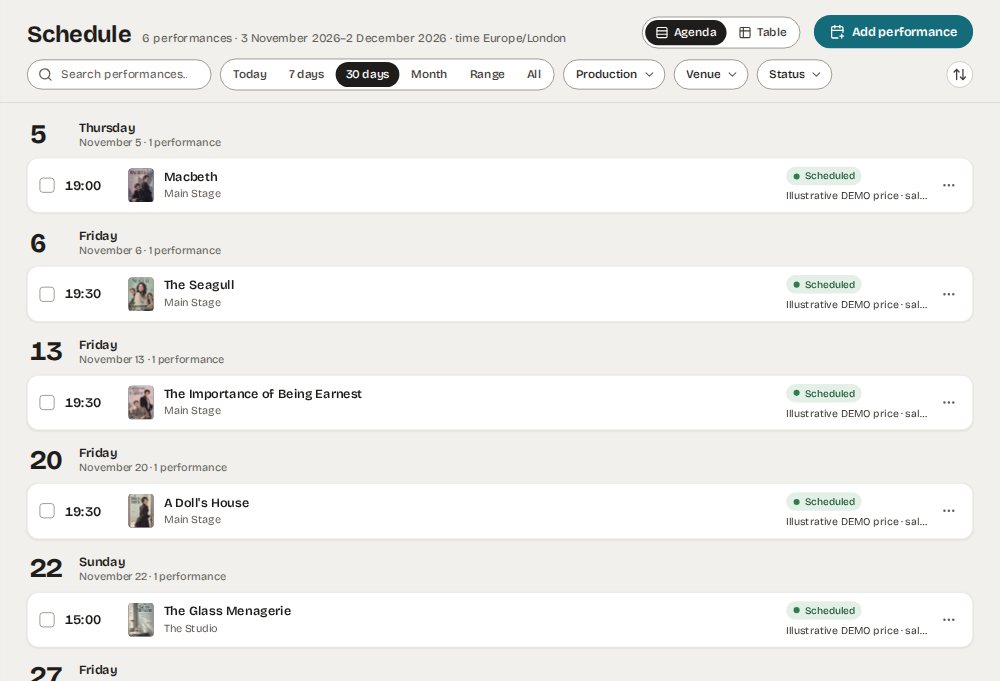
Hype5 Stage
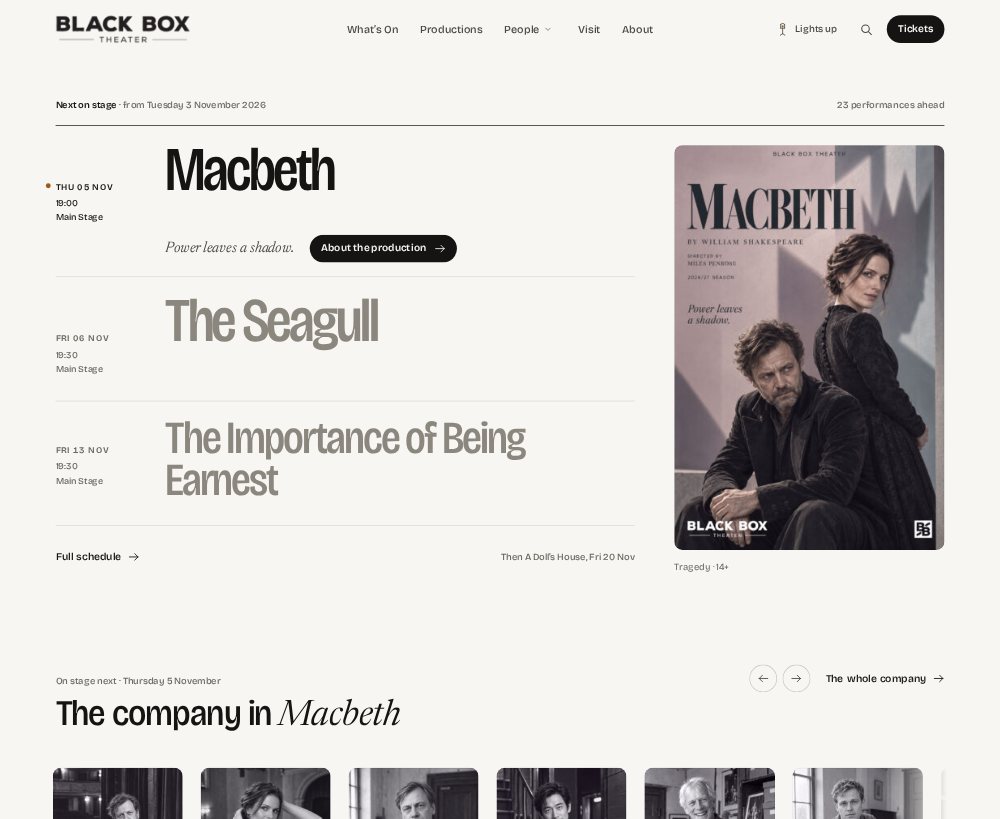
The theme, included with Theater. Near-monochrome, with a marquee home page and Lights up / Lights down schemes.

Stage stores no theatre data and never writes to Theater. It presents productions, people, venues and the schedule through the plugin’s public contracts, and shows a ticket button only for offers Theater marks as purchasable.
See them together in the demoInstall it yourself, build with your developer, or ask us to help you move.
You can add Hype5 to a suitable WordPress site, work with your existing developer, or discuss a move from another platform. A free initial suitability assessment helps establish which route is practical before you commit to a larger project.
Do it yourself
Install Hype5 Theater, follow the getting-started guide, and publish your first production. The documentation is public and written for administrators as well as developers.
Read the getting-started guideWith your developer or agency
Public contracts for everything a developer needs: blocks, shortcodes, read-only REST routes, documented hooks, and templates that resolve child theme → parent theme → plugin.
Open the developer referenceWith Hype5it’s help
Have an existing theatre website? We can assess whether Hype5 fits it, identify the work involved, and offer separately scoped help with implementation or migration if needed.
Request a website assessmentBlack Box Theater
A fictional theatre showing Hype5 Theater and Hype5 Stage working together. Explore its productions, artists and dates; all people, prices and performance details are illustrative.
Written down, in public.
Getting started, Theater, Stage, a developer reference, and help: questions and answers, troubleshooting, compatibility, limitations, changelogs. Read it before you decide.
- Install Theater and Stage
- Publish your first production
- Link tickets sold elsewhere
- Override a template in your theme
Public contracts, documented.
- Blocks
hype5-theater/productionsandhype5-theater/schedule - Three public, read-only REST routes under
hype5-theater/v1 - Templates resolve child theme → parent theme → plugin; they receive prepared data
- Hooks such as
hype5/theater/readyandhype5/theater/view/{type}
What Hype5 Theater is not.
Clear limits are part of being dependable. We would rather you know before you buy.
It does not sell tickets.
Hype5 Theater does not process payments. Ticket offers link visitors to your current ticket seller; performance dates are currently maintained in Theater separately from the ticketing system.
It is not a hosted service.
Hype5 Theater is a plugin you install on your own WordPress site, on your own hosting. Your data stays in your database and leaves with you.
No seat selection or map display.
Venue coordinates are stored, but map display and seat selection are not part of Hype5 Theater.
Ask about Hype5 — or ask us to look at your website first.
Hype5 Theater is built for theatre websites that need connected productions, artists and schedules. Explore the live Black Box Theater demonstration, ask about the licence or request a free, no-obligation assessment of your current website.